
Aurora Shell 50.12: Dock, Dock, Dockin’ on Heaven’s Door
Aurora Shell 50.12 puts the dock front and center. You can choose the icon size, move the dock to the edge that suits each display, and hover over a running application to see live previews of its open windows.
The title nods to Bob Dylan’s song. Almost every visible change in 50.12 starts at the dock.
A dock for every edge
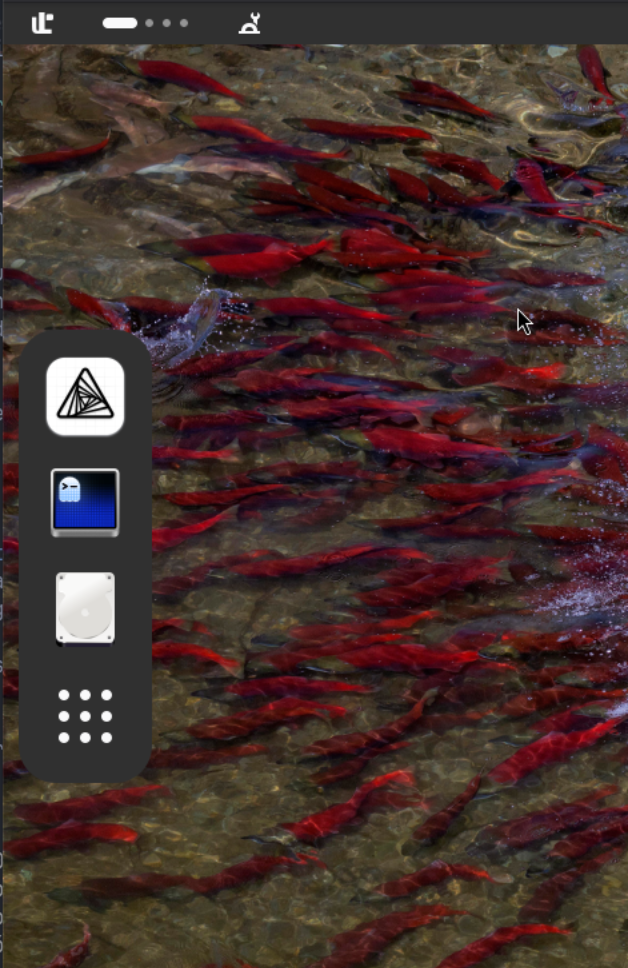
Before 50.12, the dock had a fixed position. Now you can place it on the bottom, left or right edge of the screen. A vertical dock gives widescreen layouts more room, while multi-monitor setups can put it on the easiest edge to reach.
Autohide, intellihide, edge reveal, removable drives and fixed items all follow the dock to its new position. Aurora Shell also adjusts motion and layout for the selected edge, so a vertical dock behaves like one instead of looking like a bottom dock turned sideways.
Icons that fit the moment
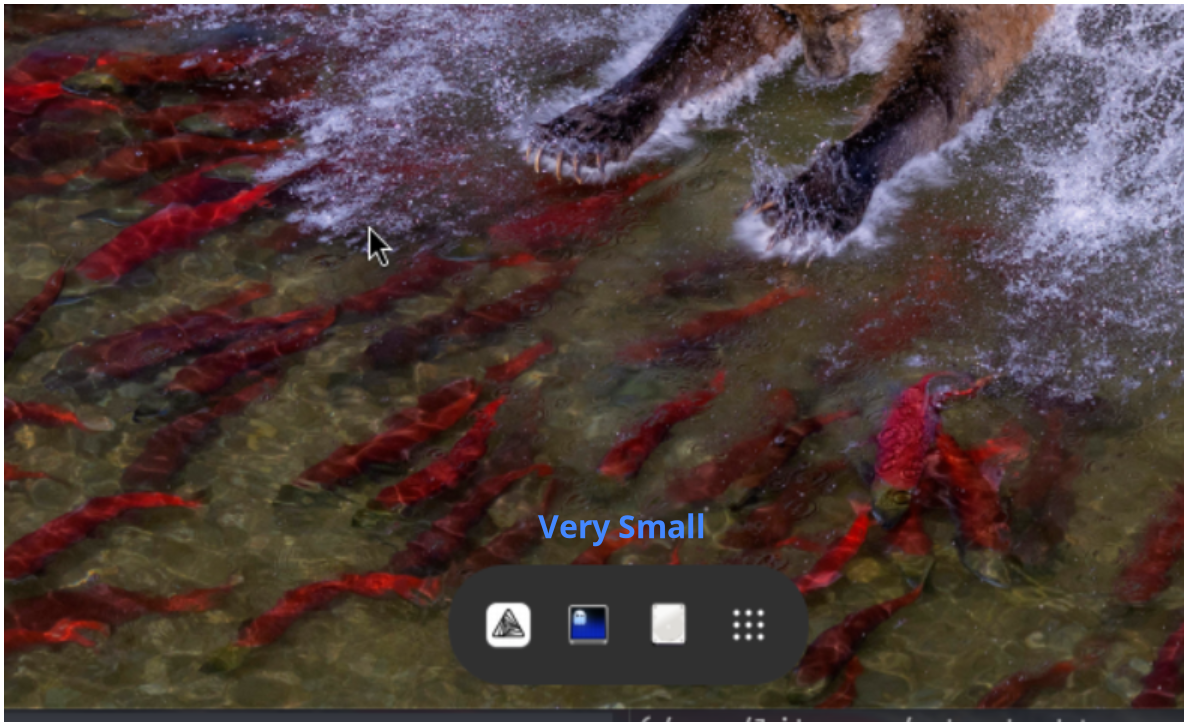
Version 50.12 adds a preferred dock icon size. Aurora Shell keeps that size while there is room and scales the icons down when the dock gets crowded. Apps remain within reach on smaller screens and vertical layouts.
Choose a compact dock that stays out of the way or larger icons that are easier to spot and click. The hover and press effect labels are now translated into Brazilian Portuguese too.
Your windows, one hover away
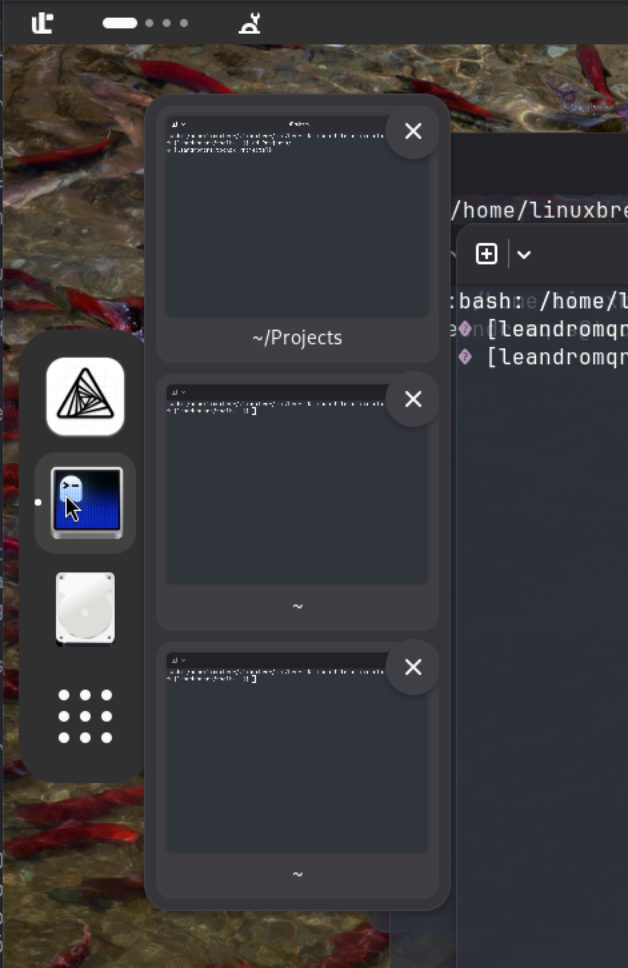
Hover over a running application and Aurora Shell opens live previews of its windows. Pick the window you want directly from the dock or use the actions in its preview card, without opening the overview first.
Window Previews is disabled by default. To turn it on, open Aurora Shell’s preferences, go to Dock & Panel → Dock, and enable Window Previews.
Scrollbars now sit over the preview content instead of reserving an empty gutter on the right. Preview timers also belong to the dock lifecycle, so disabling the dock or the extension cancels pending callbacks instead of leaving them behind.
Better links, alerts and tray icons
Meeting Clock now extracts conference links from redirect and tracking URLs. When an active meeting alert fires again, the module asks GNOME Shell to show the banner again, so the reminder does not disappear while it is still relevant.
Tray Icons now resolves absolute SNI icon paths correctly. Applications that provide an icon as a file path can display it as intended, rather than falling back because the path was handled like a themed icon name.
The Shell test suite now uses event-driven waits instead of fixed sleeps. Tests finish faster and no longer depend as heavily on machine timing.
Already available on EGO
Aurora Shell 50.12 is already updated on Extensions of GNOME (EGO), the recommended place to install it on GNOME 50. Existing EGO installations will receive the update through the usual GNOME Extensions flow.
The Aurora Shell 50.12 release on GitHub includes a production archive for everyday use and a development archive with the in-Shell DevTool for contributors and testing.